My personal and professional life

Showing posts with label Slackware. Show all posts

2020-05-23

Happy 25th Birthday MySQL!

Today, May 23-rd 2020, MySQL turns 25 years old. I first got acquainted with it during my university years as I was searching for a free and open RDBMS system to learn and experiment with SQL. And I used it ever since then. I thus followed the evolvement of "The world's most popular open source database" over the past about 20 years since 3.2x versions. It's a big anniversary. So what does MySQL mean for me?
  • First and foremost, MySQL is the relational (and also non-relational) database of choice for both my personal and professional projects. For me it's easier to think new database schemes in the terms of MySQL and architect new systems on top of MySQL as a database system;
  • MySQL is getting better and better with the years, which keeps me interested. I still remember the arrival of:
    • 4.0 (with support for unions, etc.),
    • then 4.1 (sub-queries and prepared statements, etc.),
    • then 5.0 (stored routines, triggers and views, distributed transactions, etc.),
    • then 5.1 (table partitioning, XML and event scheduler, etc.),
    • then 5.5 (SIGNAL and RESIGNAL, PERFORMANCE_SCHEMA),
    • then 5.6 (Full-text for InnoDB, etc.),
    • then 5.7 (JSON, named triggers, generated columns, optimizer hints, etc.),
    • and more recently 8.0 (CTEs, window functions, regular expressions improvements, GROUPING function, document store, CHECK constraints, LATERAL, functional key parts and defaults and many, many more);
  • I'm building MySQL server (and other products) for Slackware Linux since 2005, because at first I needed newer versions than the ones provided by the official repository and then, because Slackware switched to MariaDB in 2013, but I choose to stick with MySQL. This doesn't mean I do not use MariaDB at all and in some aspects I believe it's ahead;
  • I'm reporting bugs for MySQL and related products, so I could get problems resolved (see the story of some of my bug reports);
  • I'm blogging about MySQL for the past 2 years since the release of MySQL 8.0, which helps me get familiar with the new features;
  • I'm also presenting about MySQL from time to time, which helps me engage with the community, learn from and exchange ideas with the more experienced then me;
  • Last, but definitely not least, there is a great and very strong community around MySQL, with which I got the chance to engage more in the past 3 years. This is what makes a project like MySQL strong over so many years.
To put it simply for me MySQL is a lot more than a database. MySQL has been with me for a significant part of my life so far and it makes me happy to see the database continues to evolve. Still I believe that improved SQL standard support and new development features should have arrived earlier, but better later than never. Also the development could be more open, but I'm confident that the future is open and bright.

Here's to the next 25 years and beyond! Happy birthday MySQL! Cheers to all that use and love MySQL!

    2019-01-15

    Should Slackware implement systemd?

    Two recent events made me wrote this post. The first one was a user in LinuxSlackware's Facebook group who was thanking Patrick for not switching to systemd. The second one was a recent case where the night jobs of an application were running two many heavy processes on a MySQL 8 server under RHEL 7, which lead to memory exhaustion and unresponsive service. In the second case systemd acted to kill the mysqld process and start it again, so the service was restored and the application could at least work.

    Now, the first event just expresses a user opinion, which I, as a long time Slackware user, could understand, because it's something we're used to. It's simple and works at lest for most of the things.

    However, the second event made me think, that under Slackware this would not have happened, unless you implement it yourself somehow. The question is does it worth it when it's already implemented and working well on all the other Linuxes I'm using?

    2018-06-12

    Is it time for Slackware 15?

    Last Slackware release (14.2) appeared almost 2 years ago and upgraded many packages, but things are moving faster nowadays, so I just wonder isn't it time for a new release? I'm following -current, so I already see some notable changes and upgrades accumulating there, including:
    • Base system:
      • Linux Kernel 4.14 LTS;
      • GNU C Library 2.27;
    • Servers:
      • Postfix 3.3 (replacing Sendmail as MTA) and Dovecot 2.3 (replacing imapd as IMAP daemon);
      • Apache 2.4.33 (with HTTP/2 support);
      • ProFTPD 1.3.6 (with mod_sftp and mod_facl support);
      • Samba 4.6;
      • MariaDB 10.3.7 (very nice given what I recently wrote about new functionalities);
      • Bind 9.11, dhcp 4.3.4, ntp 4.2.8p11 (now running as ntp:ntp) and more;
    • Development:
      • GNU's Compiler Collection 7.3 and LLVM 6.0;
      • Perl 5.26, PHP 7.2, Python 3.6, Ruby 2.5 and Rust 1.26;
      • Git 2.17 and Mercurial 4.5;
    • GUI:
      • X.Org 1.20;
      • KDE 4.14.36 (I was hoping for Plasma 5.x though);
      • SeaMonkey 2.49, Firefox 59.0 and Thunderbird 52.8;
      • GTK+ applications such as Pidgin 2.13, Gimp 2.10, etc.
    There are 66 new packages in total among them FFmpeg 3.4, new libraries like opus, lame, libbluray, speex, id3lib, libwebp and various Python modules (e.g. docutils, idna and six), which I already have on SlackPack. I noted also SDL2 library, which I do not have and which is nice, because some packages already need it.
    There are many new packages I was waiting like Postfix, Dovecot, Python 3, MariaDB 10.3, GCC 7.3, which should make a great new release whichever and whenever it's going to be. The only disappointment for me is that KDE is still 4.14 and Qt 4.8, but some applications already need KDE 5 and Qt 5 (e.g. like KDESvn, cppcheck's GUI, etc.).
    Package pkgtools is already 15.0 in -current, so is it time for Slackware 15?

    2018-05-30

    First attempts with in-place upgrade from MySQL 5.7 to 8.0

    I have previously written, that in-place upgrade is not possible from MySQL 8.0.4 to 8.0.11, but it's officially supported between GA releases (but not through MySQL Installer - see #90619 and more likely #79315). So today I've made my first attempts to migrate my MySQL 5.7 server to MySQL 8.0 by copying data and configuration in a Slackware virtual machine. Let's start...
    • First attempt:
    2018-05-30T16:42:28.485076Z 0 [System] [MY-010116] [Server] /usr/sbin/mysqld (mysqld 8.0.11) starting as process 18078
    2018-05-30T16:42:28.727435Z 1 [ERROR] [MY-012526] [InnoDB] InnoDB: Upgrade after a crash is not supported. This redo log was created with MySQL 5.7.22. Please follow the instructions at http://dev.mysql.com/doc/refman/8.0/en/upgrading.html
    2018-05-30T16:42:28.727509Z 1 [ERROR] [MY-012930] [InnoDB] InnoDB: Plugin initialization aborted with error Generic error.
    2018-05-30T16:42:29.228125Z 1 [ERROR] [MY-011013] [Server] Failed to initialize DD Storage Engine.
    2018-05-30T16:42:29.228520Z 0 [ERROR] [MY-010020] [Server] Data Dictionary initialization failed.
    2018-05-30T16:42:29.228554Z 0 [ERROR] [MY-010119] [Server] Aborting
    2018-05-30T16:42:29.235976Z 0 [System] [MY-010910] [Server] /usr/sbin/mysqld: Shutdown complete (mysqld 8.0.11)  Source distribution.


    Well, I really took my chances by just copying the data directory of the running MySQL 5.7 server :-)

    Solution: Make a clean copy of the data directory when the server is stopped.
    • Second attempt:
    2018-05-30T16:53:06.475573Z 0 [System] [MY-010116] [Server] /usr/sbin/mysqld (mysqld 8.0.11) starting as process 18236
    2018-05-30T16:53:08.332393Z 0 [Warning] [MY-013129] [Server] A message intended for a client cannot be sent there as no client-session is attached. Therefore, we're sending the information to the error-log instead: MY-001287 - 'validate password plugin' is deprecated and will be removed in a future release. Please use validate_password component instead
    InnoDB MEMCACHED: Memcached uses atomic increment
     InnoDB_Memcached: Unable to open table 'innodb_memcache/containers'
     InnoDB_Memcached: Please create config table'containers' in database 'innodb_memcache' by running 'innodb_memcached_config.sql. error Table not found'
    Failed to initialize instance. Error code: 13
    2018-05-30T16:53:13.256478Z 0 [Warning] [MY-010068] [Server] CA certificate ca.pem is self signed.
    2018-05-30T16:53:13.257272Z 0 [ERROR] [MY-010262] [Server] Can't start server: Bind on TCP/IP port: Address already in use
    2018-05-30T16:53:13.257283Z 0 [ERROR] [MY-010257] [Server] Do you already have another mysqld server running on port: 3306 ?

    2018-05-30T16:53:13.257298Z 0 [ERROR] [MY-010119] [Server] Aborting
     InnoDB_Memcached: Memcached plugin is still initializing. Can't shut down it.
    2018-05-30T16:53:29.161133Z 0 [Warning] [MY-011068] [Server] The syntax 'validate password plugin' is deprecated and will be removed in a future release. Please use validate_password component instead.
    2018-05-30T16:53:30.304586Z 0 [System] [MY-010910] [Server] /usr/sbin/mysqld: Shutdown complete (mysqld 8.0.11)  Source distribution.


    Sure, I have another MySQL 8.0 server listening on port 3306, so let's fix the configuration.

    Solution: Change port in configuration file.
    • Third attempt:
    2018-05-30T17:04:57.144549Z 0 [System] [MY-010116] [Server] /usr/sbin/mysqld (mysqld 8.0.11) starting as process 18571
    2018-05-30T17:04:57.523116Z 0 [Warning] [MY-013129] [Server] A message intended for a client cannot be sent there as no client-session is attached. Therefore, we're sending the information to the error-log instead: MY-001287 - 'validate password plugin' is deprecated and will be removed in a future release. Please use validate_password component instead
    2018-05-30T17:04:57.630947Z 0 [Warning] [MY-010068] [Server] CA certificate ca.pem is self signed.
    2018-05-30T17:04:57.633668Z 0 [ERROR] [MY-013129] [Server] A message intended for a client cannot be sent there as no client-session is attached. Therefore, we're sending the information to the error-log instead: MY-001146 - Table 'mysql.component' doesn't exist
    2018-05-30T17:04:57.633699Z 0 [Warning] [MY-013129] [Server] A message intended for a client cannot be sent there as no client-session is attached. Therefore, we're sending the information to the error-log instead: MY-003543 - The mysql.component table is missing or has an incorrect definition.
    2018-05-30T17:04:57.633776Z 0 [ERROR] [MY-011071] [Server] unknown option '--secure-auth'
    2018-05-30T17:04:57.633787Z 0 [Warning] [MY-010952] [Server] The privilege system failed to initialize correctly. If you have upgraded your server, make sure you're executing mysql_upgrade to correct the issue.
    2018-05-30T17:04:57.633840Z 0 [ERROR] [MY-010119] [Server] Aborting
    2018-05-30T17:04:58.636827Z 0 [Warning] [MY-011068] [Server] The syntax 'validate password plugin' is deprecated and will be removed in a future release. Please use validate_password component instead.


    Yeah, data dictionary is not yet upgraded, but for this I need a running server and there is also error about unknown configuration option.

    Solution: Remove secure-auth option from configuration file as it was removed in 8.0.3 (see also its release notes).
    • Fourth attempt:
    2018-05-30T17:06:21.153201Z 0 [ERROR] [MY-011071] [Server] unknown variable 'max_tmp_tables=64'

    Solution: Same case as above. Remove max_tmp_tables option from configuration file.
    • Fifth attempt:
    2018-05-30T17:10:36.750614Z 0 [ERROR] [MY-011071] [Server] unknown variable 'query_cache_type=1'

    Yep, I forgot that query cache is removed too...

    Solution: Remove query_cache_type and query_cache_size options from configuration file as Query Cache was removed in MySQL 8.
    • Sixth attempt:
    2018-05-30T17:11:18.941821Z 0 [System] [MY-010116] [Server] /usr/sbin/mysqld (mysqld 8.0.11) starting as process 18803
    2018-05-30T17:11:19.333818Z 0 [Warning] [MY-010068] [Server] CA certificate ca.pem is self signed.
    2018-05-30T17:11:19.335972Z 0 [ERROR] [MY-013129] [Server] A message intended for a client cannot be sent there as no client-session is attached. Therefore, we're sending the information to the error-log instead: MY-001146 - Table 'mysql.component' doesn't exist
    2018-05-30T17:11:19.336010Z 0 [Warning] [MY-013129] [Server] A message intended for a client cannot be sent there as no client-session is attached. Therefore, we're sending the information to the error-log instead: MY-003543 - The mysql.component table is missing or has an incorrect definition.
    2018-05-30T17:11:19.348988Z 0 [Warning] [MY-010929] [Server] Storage engine 'MyISAM' does not support system tables. [mysql.user].
    2018-05-30T17:11:19.349014Z 0 [Warning] [MY-010929] [Server] Storage engine 'MyISAM' does not support system tables. [mysql.db].
    2018-05-30T17:11:19.349020Z 0 [Warning] [MY-010929] [Server] Storage engine 'MyISAM' does not support system tables. [mysql.tables_priv].
    2018-05-30T17:11:19.349026Z 0 [Warning] [MY-010929] [Server] Storage engine 'MyISAM' does not support system tables. [mysql.columns_priv].
    2018-05-30T17:11:19.349031Z 0 [Warning] [MY-010929] [Server] Storage engine 'MyISAM' does not support system tables. [mysql.procs_priv].
    2018-05-30T17:11:19.349035Z 0 [Warning] [MY-010929] [Server] Storage engine 'MyISAM' does not support system tables. [mysql.proxies_priv].

    2018-05-30T17:11:19.352944Z 0 [ERROR] [MY-013143] [Server] Column count of mysql.user is wrong. Expected 49, found 45. The table is probably corrupted
    2018-05-30T17:11:19.352980Z 0 [Warning] [MY-010966] [Server] ACL table mysql.role_edges missing. Some operations may fail.
    2018-05-30T17:11:19.352987Z 0 [Warning] [MY-010966] [Server] ACL table mysql.default_roles missing. Some operations may fail.
    2018-05-30T17:11:19.352992Z 0 [Warning] [MY-010966] [Server] ACL table mysql.global_grants missing. Some operations may fail.
    2018-05-30T17:11:19.352997Z 0 [Warning] [MY-010966] [Server] ACL table mysql.password_history missing. Some operations may fail.

    2018-05-30T17:11:19.353420Z 0 [ERROR] [MY-010965] [Server] Missing system table mysql.global_grants; please run mysql_upgrade to create it.
    2018-05-30T17:11:19.365069Z 0 [Warning] [MY-010727] [Server] System table 'func' is expected to be transactional.
    2018-05-30T17:11:19.366847Z 0 [Warning] [MY-010405] [Repl] Info table is not ready to be used. Table 'mysql.slave_master_info' cannot be opened.

    2018-05-30T17:11:19.366874Z 0 [ERROR] [MY-010422] [Repl] Error in checking mysql.slave_master_info repository info type of TABLE.
    2018-05-30T17:11:19.368238Z 0 [ERROR] [MY-010415] [Repl] Error creating master info: Error checking repositories.
    2018-05-30T17:11:19.368273Z 0 [ERROR] [MY-010426] [Repl] Slave: Failed to initialize the master info structure for channel ''; its record may still be present in 'mysql.slave_master_info' table, consider deleting it.

    2018-05-30T17:11:19.368280Z 0 [ERROR] [MY-010529] [Repl] Failed to create or recover replication info repositories.
    2018-05-30T17:11:19.373821Z 0 [System] [MY-010931] [Server] /usr/sbin/mysqld: ready for connections. Version: '8.0.11'  socket: '/var/lib/mysql/mysqld57.sock'  port: 3316  Source distribution.


    Success! The server is already running, but apparently needs upgrade as system tables are either missing or still in MyISAM. However, should not this be done automatically? At least I'm getting this impression when reading Step 8 for In-Place Upgrade in the manual. Anyway, step 9 is to run mysql_upgrade, so after running the command the errors in the log are gone.

    Of course, I'm was playing here, but at least I now have a configuration file ready for 8.0 and have validated the upgrading procedure for my use case. However, I have to check also my applications compatibility, so the real upgrade would happen later.

    P.S. A nice way to check for configuration problems is described in How to check MySQL Config files by Peter Zaitsev.

    2014-07-27

    Using InfoNotary certificate on OmniKey CardMan 6121 under Slackware

    Abstract

    This small article describes the installation and configuration of OmniKey CardMan 6121 card read under Slackware, which enables the usage of InfoNotary's universal certificates for e-banking.

    Getting started

    Plug in the device to a USB port on your computer, after it's recognized by the kernel in the output of command lsusb you should find the following:

    Bus 001 Device 028: ID 076b:6622 OmniKey AG CardMan 6121

    Installation of device drivers

    The manufacturer of the device offers binary drivers for the CardMan 6121 and other readers.

    Manual installation

    Download the driver archive and unpack it to a temporary directory, then run
    the install script, for example in Slackware64 14.1:
    # cd /tmp
    # wget 'http://www.hidglobal.com/sites/hidglobal.com/files/drivers/ifdokccid_linux_x86_64-v4.0.5.4.tar.gz'
    # tar -xvf ifdokccid_linux_x86_64-v4.0.5.4.tar.gz
    # cd ifdokccid_linux_x86_64-v4.0.5.4
    # ./install
    

    Automatic installation

    A package is provided by the SlackPack repositories for different Slackware versions called pcsc-omnikay, so alternatively, you could use slapt-get utility, configure SlackPack repositories and then just issue the following command:

    # slapt-get --install pcsc-omnikey

    Installation of necessary software

    You need PC/SC Lite middleware for accessing the smart card using SCard API (PC/SC standard), for packages could be found in SlackPack repositories for different Slackware versions. You also need OpenSC tools and libraries for work with smart cards that are used by Firefox and Thunderbird. Packages could be found from the same place.

    Manual installation

    Download the packages into a temporary directory, obtain root privileges and then enter following commands to install them, for example in Slackware64 14.1:
    # installpkg pcsc-lite-1.8.11-x86_64-1gds.txz
    # installpkg opensc-0.14.0-x86_64-1gds.txz
    

    Automatic installation

    Alternatively, you could use slapt-get
    utility, configure SlackPack repositories and then just issue the following command:

    # slapt-get --install pcsc-lite opensc

    The PC/SC Lite daemon from the package comes bundled with a startup/shutdown script, so you could start it by just issueing the following command:

    # /etc/rc.d/rc.pcscd start

    If you want the daemon to start automatically with the system, then just add it to local initialization script like this:

    # echo '/etc/rc.d/rc.pcscd start' >> /etc/rc.d/rc.local

    Configuration of Firefox

    Now that the driver and necessary software are installed
    it remains only to configure Firefox to be able to communicate with the card read. This is done in the following way:
    1. Open Edit -> Preferences;
    2. In Firefox Preferences window navigate to Advanced, then to tab Certificates;
    3. Click on Security devices button;
    4. In window Device Manager that opens click on button Load on the right;
    5. Enter "OpenSC PKCS#11 Module" in Module Name and select
      /usr/lib64/onepin-opensc-pkcs11.so file as Module filename, then
      click OK;

    After the module is loaded the window manager would display the information about the reader:

    See also

    2007-02-01

    I've released SlackPack (at least)

    After long delay at least I've released SlackPack - my site for my Slackware packages. The whole site is written in Perl with the use of Template and is like the popular software for bug tracking - Bugzilla. Naturally the idea is quite a lot different - a system for management of Slackware packages and repositories. However, for the moment the system is rather representative, because the administrative part is not ready at all. Only the public side, which presents the packages and give the possibility for download works and is available to the public. Currently SlackPack will offer its users:
    • full packages information;
    • possibility for review of the package contents;
    • possibility for download;
    • possibility for automatic update of a system from the repositories;
    • quick search, advanced search and review of the packages by Slackware version or category;
    • always current feeds, generated on the moment.
    Unfortunately currently the site is only in English, but I hope the soon I'll have the time to localize it in Bulgarian, because a significant part of my packages are localized in Bulgarian and I don't want to cause difficulties to the users who don't use English. I have also lot of interesting ideas for the site development, but its all matter of future and enough free time. I hope the site will be liked both by the professionals as well as enthusiast working with one of the best distributions.

    2006-11-27

    18-th in linuxpackages.net

    Today I noticed, that I had took 18-th place in the Top Contributors list of linuxpackages.net - 48 packages. This, to some extent makes me happy, because the work on the creation of the packages is not easy, and is expensive. Although the created by me packages are build with scripts, the lack of generalized system for building of packages is still a minus for Slackware.
    Unfortunately I still don't have the possibility to run my own site for Slackware packages, because I have no time remaining to complete the advanced search. My repositories currently contain around 130 packages of about 60 different software distributions, and this indices along with the space taken grow constantly.
    This Saturday thanks to Vassil Kolev I managed to made mirror of the packages on marla.ludost.net. I hope this way they will be accessible even when I have problem with the Internet connection or the machine at home.

    2006-03-26

    Print server with Slackware Linux and HP 1020

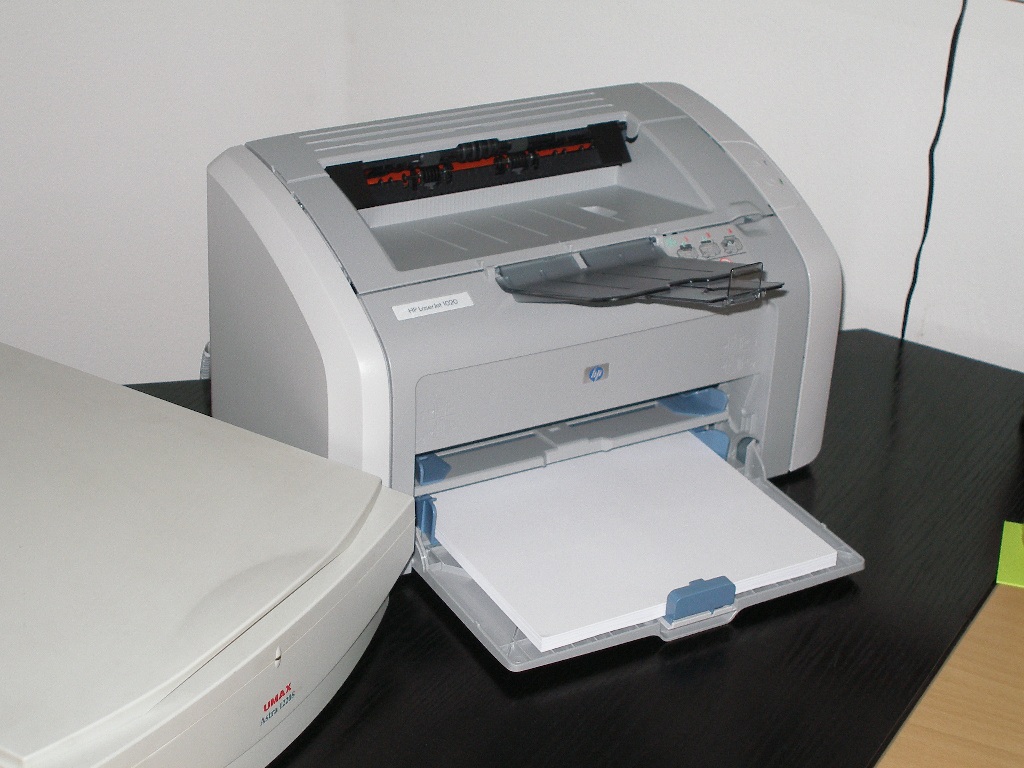
    This sunday my home server become local print server as well. Recently more often I need to print various documents and because of that I bought a HP LaserJet 1020 laser printer. Confortable and cheap printer for home.
    Naturally the device came with drivers only for my "favourite" operating system Windows. Since I use Linux for everything I have to find a way to run it alone. The things turn to be more easy as I was exepcting. It turned out that the printer works with ZjStream protocol of Zenographics, for wihch there is support in the foo2zjs project. After an hour of work I managed to made package (md5, sign) for Slackware and after I installed it the things start to order one by one. Adding a printer to CUPS is really easy with the wizard in KDE. It took only 5 minutes. After that I was able to print on the device from every application. I hope soon to write an article, in which to detail the whole thing and then to publish it in Linux for Bulgarians.
    The bad thing is that the dirver have less settings compared to the Windows variant, but however it works good. In Internet I found complaints that the pringing stops after 20 printed pages and this happens on Slackware, but I'm have nos success acheaving this problem yet.